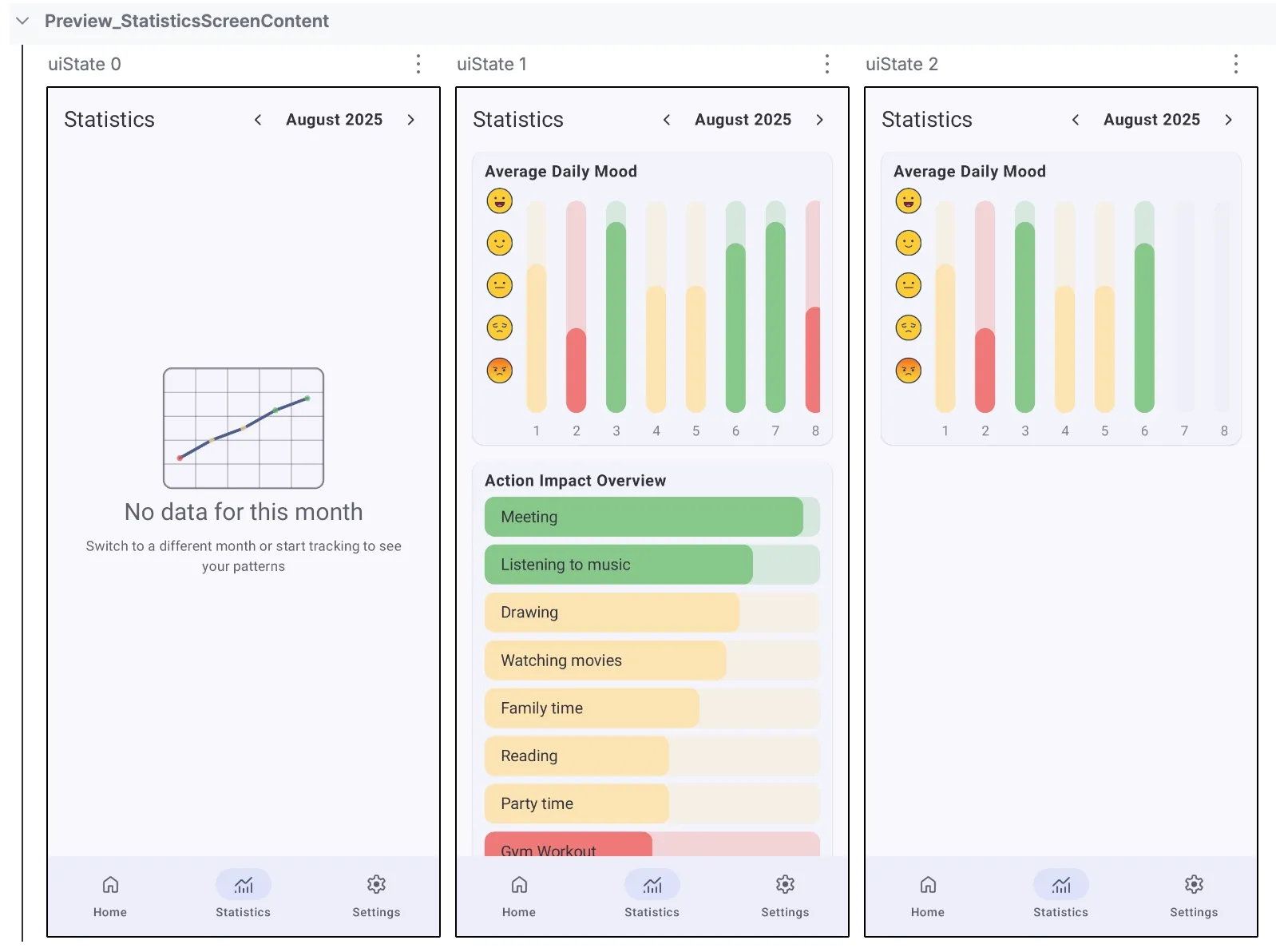
If you use PreviewParameterProvider to avoid duplicating preview functions, you’ve probably dealt with this frustration: index-based naming like uiState 0, uiState 1, uiState 2.
When you see these names, it’s hard to tell which one relates to the empty state or error state. When you have 20+ previews across different states, themes, and font scales, index-based naming becomes something that slows you down.
Good news: the recent stable release of ui-tooling-preview finally solves this.
Quick Context: Why PreviewParameterProvider Matters
If you’re already using PreviewParameterProvider you can skip this section. For everyone else, here's the short version.
Instead of writing separate preview functions for each UI state (empty, loading, success, error), you create one provider that supplies multiple states to a single preview function. Let’s look at examples of testing different states of the Statistics screen. Here we want to verify empty and two states when different data are available.
Now, let’s take a look at the source code of the provider:
class StatisticsScreenUiStateProvider : PreviewParameterProvider<StatisticsScreenUiState> {
    override val values: Sequence<StatisticsScreenUiState>
        get() = sequenceOf(
            StatisticsScreenUiState(
                isLoading = false,
                selectedDateRange = SelectedDateRangeData(...)
            ),
            StatisticsScreenUiState(
                isLoading = false,
                selectedDateRange = SelectedDateRangeData(...),
                averageDailyMoodChartData = AverageDailyMoodChartData(...),
                actionImpactChartData = ActionImpactChartData(...)
            ),
            StatisticsScreenUiState(
                isLoading = false,
                selectedDateRange = SelectedDateRangeData(...),
                averageDailyMoodChartData = AverageDailyMoodChartData(...)
            )
        )
}
The main problem with this approach is the default index-based naming for the preview functions, like uiState 0, uiState 1, uiState 2.
Solution: Provide a name for every state
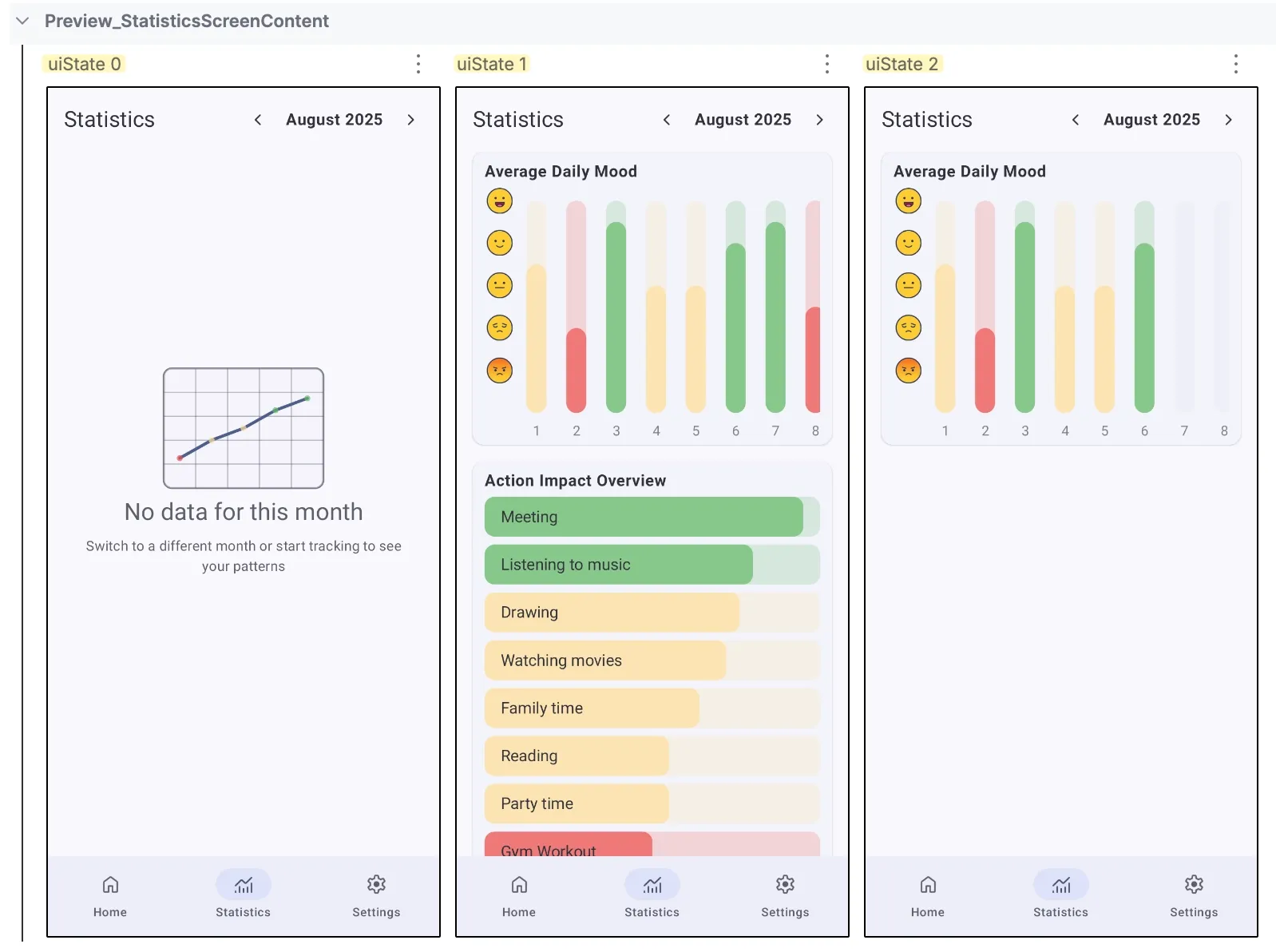
Starting with ui-tooling-preview:1.10.0, you can replace default index-based names with descriptive labels. The getDisplayName(index: Int): String? function gives you full control over the names of preview functions displayed in the preview panel.
class StatisticsScreenUiStateProvider : PreviewParameterProvider<StatisticsScreenUiState> {

    ...

    override fun getDisplayName(index: Int): String? {
        return when (index) {
            0 -> "Empty"
            1 -> "Average Daily Mood & Action Impact"
            2 -> "Average Daily Mood"
            else -> super.getDisplayName(index)
        }
    }
}
Your preview panel now shows what each state represents.
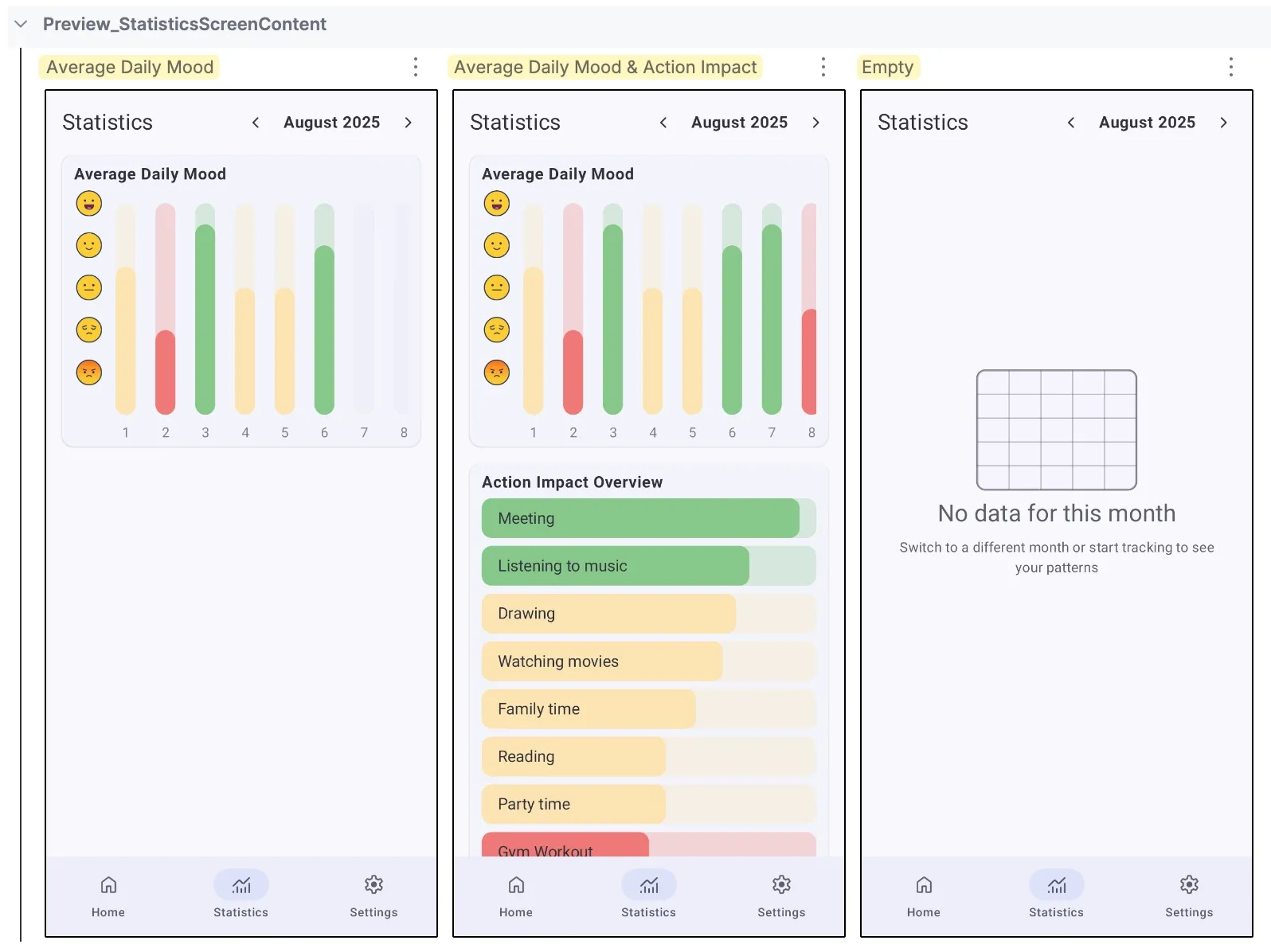
This feature works correctly in Android Studio Narwhal 3 Feature Drop (2025.1.3) or newer.
The basic approach from the previous example works, but it has a big problem: your state objects live separately from labels. If you add a new state and forget to update the name mapping, your labels will get mixed up again.
To fix this problem, we will use the Pair<String, StatisticsUiState> to connect each name with its state.
class StatisticsScreenUiStateProvider : PreviewParameterProvider<StatisticsScreenUiState> {
        val data = listOf(
            Pair(
                "Empty",
                StatisticsScreenUiState(
                    isLoading = false,
                    selectedDateRange = SelectedDateRangeData(...)
                )
            ),
            Pair(
                "Average Daily Mood & Action Impact",
                StatisticsScreenUiState(
                    isLoading = false,
                    selectedDateRange = SelectedDateRangeData(...),
                    averageDailyMoodChartData = AverageDailyMoodChartData(...),
                    actionImpactChartData = ActionImpactChartData(...)
                )
            ),
            Pair(
                "Average Daily Mood",
                StatisticsScreenUiState(
                    isLoading = false,
                    selectedDateRange = SelectedDateRangeData(...),
                    averageDailyMoodChartData = AverageDailyMoodChartData(...)
            )
        )

        override val values: Sequence<StatisticsScreenUiState>
            get() = data.map { it.second }.asSequence()

        override fun getDisplayName(index: Int): String {
            return data[index].first
        }
    }
Now, it’s impossible to add a state without naming it.
The Compose Screenshot Testing Tool (0.0.1-alpha13) doesn't yet support custom display names. Your screenshot test output will still show index-based naming even if Android Studio displays your custom names correctly.
If you're using Jetpack Compose BOM 2026.01.00 or later, you already have ui-tooling-preview:1.10.1 and this feature is ready to use.
Key Takeaways
- Instead of writing multiple preview functions for different UI states, create a single provider that supplies many states to one preview function.
- Starting with
ui-tooling-preview:1.10.0, you can replace default index-based naming (e.g., "uiState 0") with descriptive custom names. This naming feature requires Android Studio Narwhal 3 Feature Drop (2025.1.3) or newer. - Custom display names don't yet work with the Compose Screenshot Testing Tool (0.0.1-alpha13), which still uses index-based naming.