
Handling Asynchronous Images in Android Screenshot Tests
This article is based on a chapter from my book, Mastering Android Screenshot Testing.
Modern applications frequently load images asynchronously, which is a common cause of unstable screenshot tests or confusion when you review newly generated screenshots. A test can pass locally and fail on CI, produce a different image on every run, or leave an empty space where the image should be placed.
This article covers two ways to make screenshot tests deterministic: injecting a fake image loader with the coil-test library, or using Compose’s inspection mode as a fallback when the first option isn’t available.
Screenshot testing frameworks wait for the UI to be idle before capturing an image, but do not wait for asynchronous image loading to complete. What happens next depends on the framework. Compose Preview Screenshot Testing and Paparazzi render through layoutlib, which has no access to the network, so the image never loads and you are left with an empty space. Other frameworks might capture a screenshot while the image request is still in progress.
The primary purpose of screenshot tests is to verify that components or screens render correctly across diverse system configurations, such as varying font scales, light and dark color modes, and different locales. In most cases, the actual image content is irrelevant—you can replace images with placeholders to verify your layouts are rendered correctly regardless of image content.
If you’re using Coil for asynchronous image loading, you can use the coil-test library to inject custom images for all image requests, ensuring predictable and consistent results.
Providing Fake Images Using the coil-test Library
The coil-test library allows you to provide custom images for all loading requests.
val imageLoaderEngine = FakeImageLoaderEngine.Builder()
    .intercept({ request -> true }, ColorImage(Color.Green.toArgb()))
    .build()

val imageLoader = ImageLoader.Builder(ApplicationProvider.getApplicationContext())
    .components { add(imageLoaderEngine) }
    .build()
To replace the default ImageLoader with a custom one, you can use SingletonImageLoader.setUnsafe(imageLoader). To revert it back to the default ImageLoader, you need to call SingletonImageLoader.reset().
Let’s look at an example that uses the Android Testify framework.
@RunWith(AndroidJUnit4::class)
class AsyncImageScreenshotTest {

    @get:Rule
    val composableScreenshotRule = ComposableScreenshotRule()

    @ScreenshotInstrumentation
    @Test
    fun asyncImage() {
        // Providing a fake image
        val imageLoaderEngine = FakeImageLoaderEngine.Builder()
            .intercept({ request -> true }, ColorImage(Color.Green.toArgb()))
            .build()
        val imageLoader = ImageLoader.Builder(ApplicationProvider.getApplicationContext())
            .components { add(imageLoaderEngine) }
            .build()
        SingletonImageLoader.setUnsafe(imageLoader)

        composableScreenshotRule
            .setCompose {
                AppTheme {
                    AsyncImage(
                        modifier = Modifier.size(200.dp),
                        uri = "content://media/external/images/media/1".toUri()
                    )
                }
            }
            .assertSame()

        // Resetting to provide real images again
        SingletonImageLoader.reset()
    }
}
You can avoid duplicating code for setting up and resetting an image loader in each test by creating a custom JUnit rule. This rule will handle the setup and reset process for you. To implement this, create a new class and extend the TestWatcher class, which serves as the base class for JUnit rules.
class FakeImageLoaderRule(
    private val contextProvider: () -> Context,
    val image: Image = ColorImage(Color.Green.toArgb())
): TestWatcher() {

    @OptIn(DelicateCoilApi::class)
    override fun starting(description: Description?) {
        super.starting(description)
        val imageLoaderEngine = FakeImageLoaderEngine.Builder()
            .intercept({ request -> true }, image)
            .build()
        val imageLoader = ImageLoader.Builder(contextProvider())
            .components { add(imageLoaderEngine) }
            .build()
        SingletonImageLoader.setUnsafe(imageLoader)
    }

    @OptIn(DelicateCoilApi::class)
    override fun finished(description: Description?) {
        super.finished(description)
        SingletonImageLoader.reset()
    }
}
The starting function runs before the test case executes, and the finished after it, including when the test fails.
Once that’s done, you can make the test class simpler.
@RunWith(AndroidJUnit4::class)
class AsyncImageScreenshotTest {

    @get:Rule(order = 0)
    val fakeImageLoaderRule = FakeImageLoaderRule(
        contextProvider = { ApplicationProvider.getApplicationContext() }
    )

    @get:Rule(order = 1)
    val composableScreenshotRule = ComposableScreenshotRule()

    @ScreenshotInstrumentation
    @Test
    fun asyncImage() {
        composableScreenshotRule
            .setCompose {
                AppTheme {
                    AsyncImage(
                        modifier = Modifier.size(200.dp),
                        uri = "content://media/external/images/media/1".toUri()
                    )
                }
            }
            .assertSame()
    }
}
The current implementation of the FakeImageLoaderRule isn’t tied to the screenshot testing framework, it depends on the coil-test library, and if you decide to use another framework instead of Coil, the implementation of it should be changed. So, the same rule can also be used with Paparazzi, Roborazzi, Dropshots and Shot.
However, you cannot use the FakeImageLoaderRule test rule for @Preview functions. Instead, you need to provide an AsyncImagePreviewHandler object through LocalAsyncImagePreviewHandler.
@Preview
@Composable
fun Preview_AsyncImage() {
    AppTheme {
        val previewHandler = AsyncImagePreviewHandler {
            ColorImage(Color.Green.toArgb())
        }
        CompositionLocalProvider(
            LocalAsyncImagePreviewHandler provides previewHandler
        ) {
            AsyncImage(
                modifier = Modifier.size(200.dp),
                model = "content://media/external/images/media/1".toUri(),
            )
        }
    }
}
Using Inspection Mode to Display Fake Images
The LocalInspectionMode.current returns a Boolean value showing whether the composable function is rendering within a preview. Let’s assume in your project, an AsyncImage component is used, which is a wrapper around the ThirdPartyAsyncImage component from the library, which doesn’t provide a way to inject fake images. To display fake images for preview functions and screenshot tests, you need to check whether inspection mode returns true. If so, use an Image component instead of the ThirdPartyAsyncImage one, with a green background and a placeholder image.
@Composable
fun AsyncImage(
    modifier: Modifier = Modifier,
    uri: Uri,
    contentDescription: String? = null,
    placeholder: ImageVector = ImagePlaceholderIcon,
    contentScale: ContentScale = ContentScale.Crop
) {
    if (LocalInspectionMode.current.not()) {
        ThirdPartyAsyncImage(
            modifier = modifier,
            model = uri,
            contentDescription = contentDescription,
            placeholder = rememberVectorPainter(placeholder),
            contentScale = contentScale
        )
    } else {
        Image(
            modifier = modifier
                .fillMaxSize()
                .background(Color.Green),
            imageVector = placeholder,
            contentDescription = null,
            colorFilter = ColorFilter.tint(Color.White)
        )
    }
}
This requires no additional configuration for Compose Preview Screenshot Testing, since preview functions already render in inspection mode. With any other framework, you need to enable it manually by providing LocalInspectionMode via CompositionLocalProvider.
@RunWith(AndroidJUnit4::class)
class AsyncImageScreenshotTest {

    @get:Rule
    val composableScreenshotRule = ComposableScreenshotRule()

    @ScreenshotInstrumentation
    @Test
    fun asyncImage_inspectionMode() {
        composableScreenshotRule
            .setCompose {
                CompositionLocalProvider(LocalInspectionMode provides true) {
                    AppTheme {
                        AsyncImage(
                            modifier = Modifier.size(200.dp),
                            uri = "content://media/external/images/media/1".toUri()
                        )
                    }
                }
            }
            .assertSame()
    }
}
Using this approach, you can achieve the same result, but I’d treat it as a last resort, for two reasons.
First, it introduces test-related code into the production codebase. Second, you need to keep the Image and ThirdPartyAsyncImage configurations in sync, as any change to parameters like contentScale or modifier must be mirrored; otherwise your screenshot tests won’t accurately reflect the real UI.
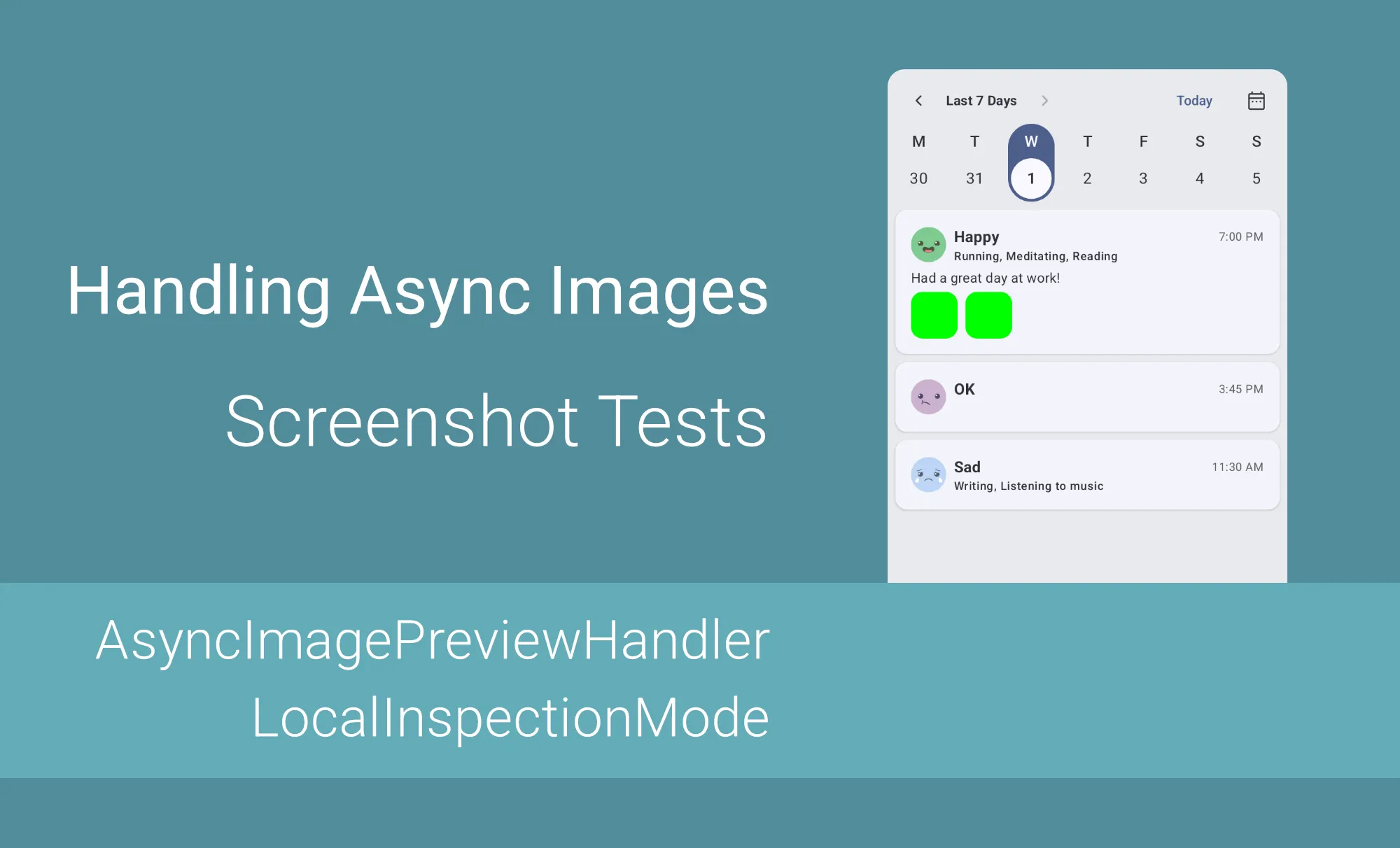
Here is an example of how the mood card component with photos looks when fake images are provided.

Asynchronous images can lead to unpredictable screenshot tests, as screenshot testing frameworks capture the screen before image loading has finished. This can result in either a blank space where the image should be, or a different image on every run. The solution is to replace all asynchronously loaded images with fake ones. You can do that by injecting a fake image loader with coil-test or a similar tool, or fall back to Compose’s inspection mode if it doesn’t. Both methods provide the same result, but a fake image loader is preferable: it keeps test-specific code out of production, and you don’t need to keep testing and production implementations in sync.
This article is based on a chapter from my book, Mastering Android Screenshot Testing. It covers the fundamental principles, frameworks, and best practices to catch visual regressions across devices and configurations before they reach production. A free sample chapter is available on Leanpub.
